Hardcover: how to fix inconsistencies with the number of read books on your profile
This post is just a quick note on a user problem I was helping debug recently.
If you’re stumbling across this post via my blog feed - hi! Outside of my 9-5 job, I’m also on the dev team at Hardcover, a book-tracking app and alternative to Goodreads.
If you’re looking at a user profile and the total books read count doesn’t quite match up with the “Read” books like so:
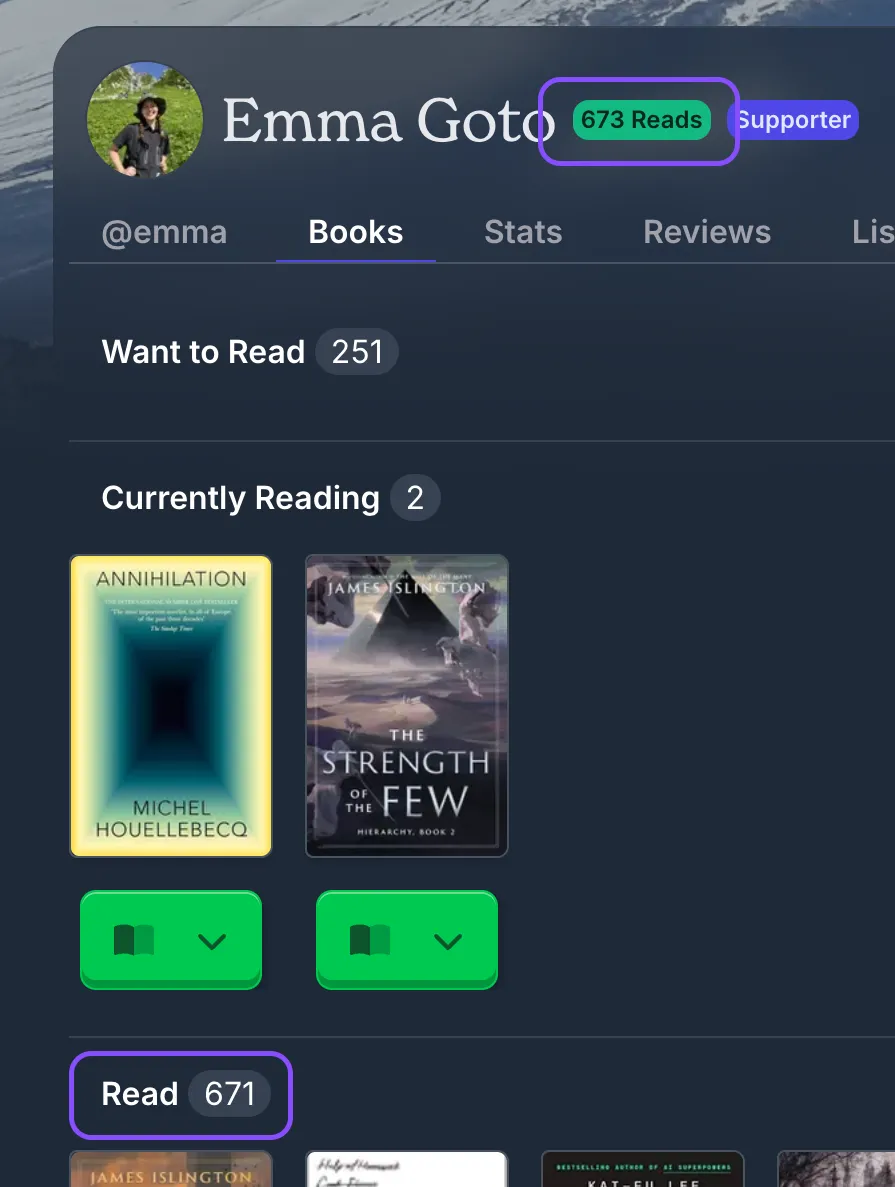
There’s two possible reasons for this:
- You are viewing someone else’s profile, and they have some books that are privated. The read count next to their username shows the true count while the one below next to the “Read” section shows only the books visible to you.
- Some of the books for that user may be in a slightly misconfigured state.
What counts towards a book being on your “Read” list?
This is probably quite obvious, but a book will end up in the “Read” section of your profile if it is marked as such from the book status dropdown:
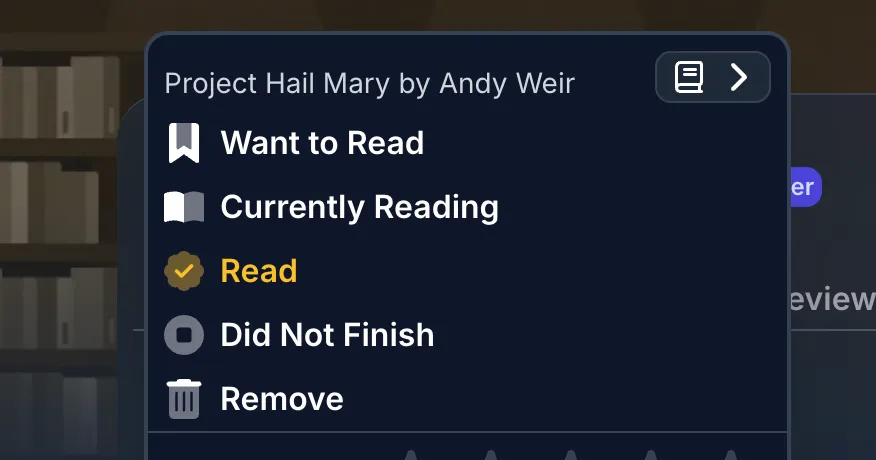
What counts towards the lozenge up the top?
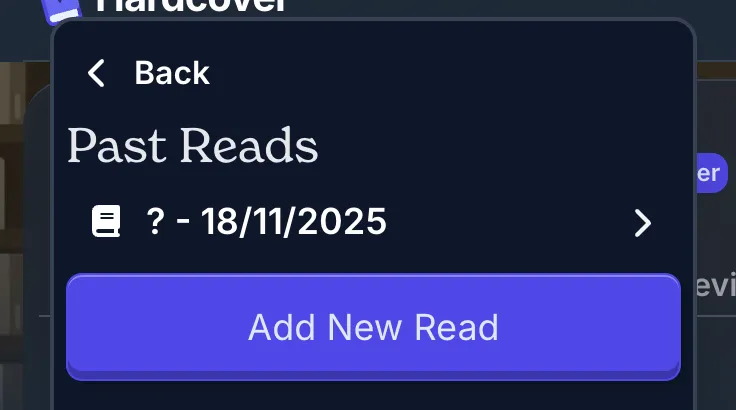
However, for the total reads count that’s next to your username, that’s based off of if a book has a finish date in the “Past reads” section:
What leads to data inconsistencies
So, if you have a book marked as “Did not finish”, for example, but it still has a date underneath the “Dates read” section:
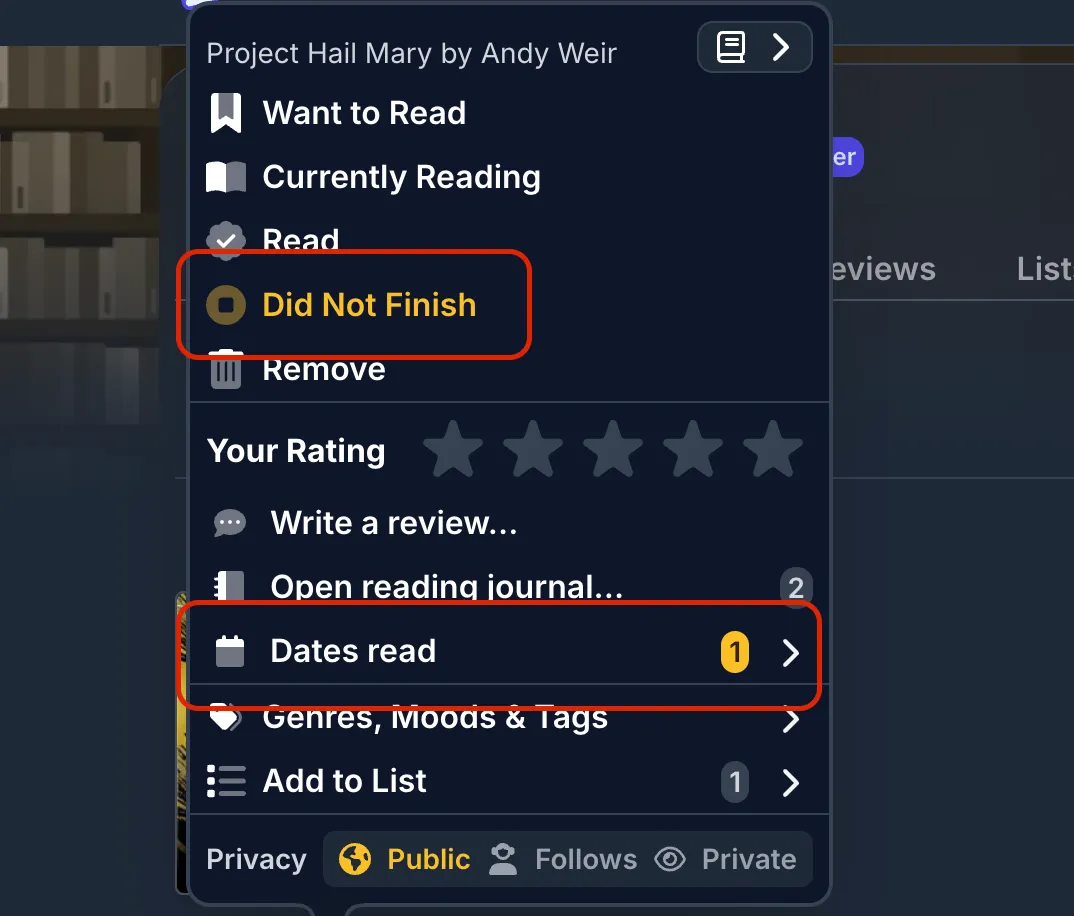
Then it counts towards the lozenge count up the top, but not towards the reads in your “read” section.
As for how a book ends up in this state - it could be something you have done manually, but I also suspect it could be a bug in the import process that is causing this (if you are importing your books across from another site).
How to find the inconsistent books
So to fix this, you’ll need to manually go in and remove any read dates from books you haven’t actually read. To make finding these books easier, you can make use of Hardcover’s API.
Not familiar with the API? Here’s a quick video with an example on how you can use it.
Graphl query to find the mismatches for your own account
After you’ve put in your API authorization key, copy-paste the following into the main text editor of the GraphQL explorer:
query findInconsistencies {
  me {
    user_books(
    where: {
      read_count: { _gte: 1 }
      status_id: { _neq: 3 }
    }
  ) {
    book {
      title
    }
    user_book_status {
      status
    }
  }
  }
}
And this should bring up any books in an inconsistent state:
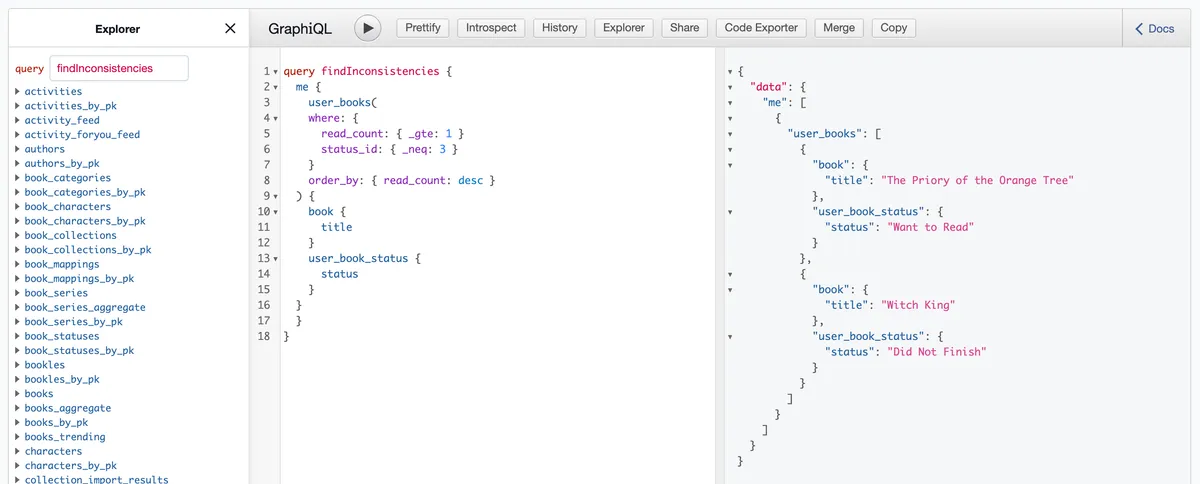
In my case, I had 2! Which matches with the inconsistency I was seeing on my profile.
Once I fixed up these two books, my profile was back to being consistent. 🎉
And if it’s still not working…
If you are still not seeing the correct number, you can try removing the book entirely from your library, and then re-adding it (and re-filling in any details e.g. a “did not finish” or “want to read” status).
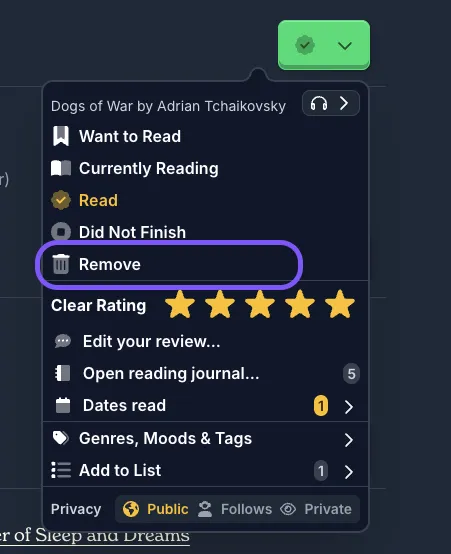
The number in the lozenge can also be cached, so marking a new book as “read” should trigger the cache to be updated.
GraphQL query to find the mismatches for another account
If you are helping out another user, you’ll first need to get their user ID:
query GetUserId {
  users(where: { username: { _eq: "USERNAME" } }) {
    id
    username
    books_count
  }
}
Copy the id you get in the response. And then you can use it to find all mismatches (replace USER_ID with the ID you are wanting to query):
query FindMismatches {
  mismatchedBooks: user_books(
    where: {
      user_id: { _eq: USER_ID }
      read_count: { _gte: 1 }
      status_id: { _neq: 3 }
    }
  ) {
    book {
      title
    }
    user_book_status {
      status
    }
  }
}