A behind-the-scenes look at my blog
As well as actually writing blog posts, I spend a fair amount of time tinkering with the code and design of emgoto.com. For me, that’s half the fun in blogging. If you were ever curious about how I did something on this site, here’s the post for you!
Astro framework
The blog is currently built on top of a framework called Astro. I made the port over to Astro from Gatsby in 2024, as I noticed the build times on my Gatsby blog had begun to balloon. Gatsby used to be very popular 5 years ago when I started this blog, but it is apparently dead now, which is unfortunate. Astro seems to be the new favourite for bloggers, and it’s pretty fast so I have no complaints.
Astro lets you write HTML and CSS together in .astro files. If you want to make use of a proper frontend framework on top of that, Astro officially supports 6 options. I personally use React since that’s what I use at my day job and is what I’m most familiar with.
Writing posts with MDX and frontmatter
I write all of my posts in a text editor called Obsidian. I previously used Ulysses, and only made the switch over to Obsidian in 2025. If you want something that’s full-featured and works great out-of-the-box, I wouldn’t recommend Obsidian. But if you’re the kind of person that likes to do a lot of fiddling and installing third-party plugins and so on to create the perfect writing environment, then Obsidian is the text editor for you.
Obsidian is based off of Markdown (which is perfect since Astro uses Markdown). I was previously using Markdown with my Gatsby blog as well, and so that made it really easy to port all of my content over.
Markdown comes with a feature called frontmatter to add metadata to your posts. At a minimum, each of my markdown files will have a title, date and tags array at the top in its frontmatter:
---
title: Title of the post
date: 2025-03-21
tags: []
---
I do use this feature quite extensively with my hiking posts. For example, I render the mountains’ locations on a map on my hyakumeizan page so inside of the frontmatter for my hiking posts I also note down the latitude and longitude, elevation and other relevant data for the mountain:
elevation: 1567
position:
    lat: 35.4744374
    lng: 139.1624519
When rendering the hyakumeizan map, I loop through all my hiking posts, filter by the ones that are tagged as “hyakumeizan”, and grab their lat/long positions.
I also use MDX , which is like a fancy version of Markdown that lets you insert components into the page. For example, you’ll notice that I have a hiking course options section on each of my hiking blog posts. This is rendered via a React component that I can pass in the course stats to. The benefit of this is it lets me maintain a consistent layout on each of my hiking pages, and making the change in the component itself would update it across all of my posts.
<Yamap
    yamapUpload="https://yamap.com/activities/21608346"
    yamapCourse="https://yamap.com/model-courses/24528"
    dateClimbed="2022-12-25"
    length="18.5km"
    time="10h45m"
/>
Pushing content from Obsidian to Astro
After I write a post in Obsidian, I generally just copy-paste the markdown file (or folder, if it has images) from Obsidian into my git repo for my blog. If I am writing a note, I do have a slightly more streamlined approach where I have a Obsidian plugin that does the copy-pasting for me.
Handling photos on my posts
The photos on my older posts were taken with my iPhone 14 Pro. In mid-2025, I switched to using a Fujifilm X-T5 camera. I’ve previously written about how I’ve done a bit of fiddling with Astro to try and optimise my images. More recently, I’ve switched to using Cloudflare R2.
I also manually add captions to certain photos, and at times have experimented with using Cursor AI to generate the alt text on my images, although I haven’t been doing so recently.
Hosting on Netlify with Cloudflare CDN
I host my site on Netlify. Netlify acquired Gatsby in 2023, which is a bit unfortunate because you can’t help but assume they’re responsible for its demise. Nonetheless I am on its free tier at the moment, which works well for me.
I also use Cloudflare CDN, which caches about half of the requests. Thanks to Cloudflare, I still have plenty of leeway on the Netlify free tier.
The only place I pay money for my blog is the domain name - I use Namecheap, which costs 17 USD a year to renew. I’m really glad I went with my own name as the domain name. It means I can switch up what sort of content I write about and don’t have to worry about it not matching the domain name. (As long as I’m the one doing the writing, it stays pretty relevant).
In hindsight I would have gone with emmagoto.com instead of shortening it to emgoto.com - I suppose at the time I bought the domain, I thought having less characters sounded cooler. I do also own emmago.to which is kind of the ultimate vanity URL, although I don’t really do anything with it at the moment.
Comments with utterances and Netlify Forms
I use two types of comments systems on my blog. For a programming post I make use of a free third-party app called utterances, which hosts the comments in a Github repository and then renders them on your blog. Since this requires a Github account to set up, I only use it on my programming posts, since I assume that readers will most probably have one already.
For posts outside of this section, I use a slightly more manual setup with Netlify Forms which I have written about previously here. When someone leaves a comment, it triggers a Zapier integration to create a Github issue with the comment as a JSON object. I then copy-paste the JSON into my blog’s repository and deploy it.
Scheduling posts with Github actions
The code for my blog lives in Github and whenever I merge something, it automatically gets deployed (thanks to Netlify). There’s a really awesome GitHub action called Merge Schedule that will automatically merge pull requests at a given time. So after I write a new blog post, I’ll raise it as a new pull request on my git repo, and set a date for it to be merged.
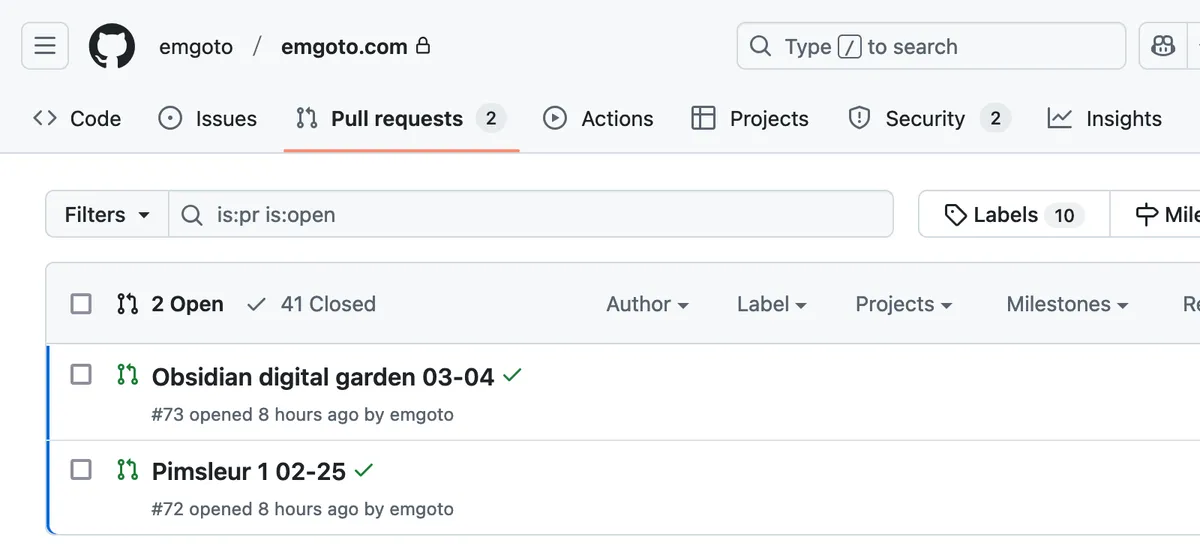
I like to publish on a schedule, so that’s really helpful for that.
Google Search Console and Umami Analytics
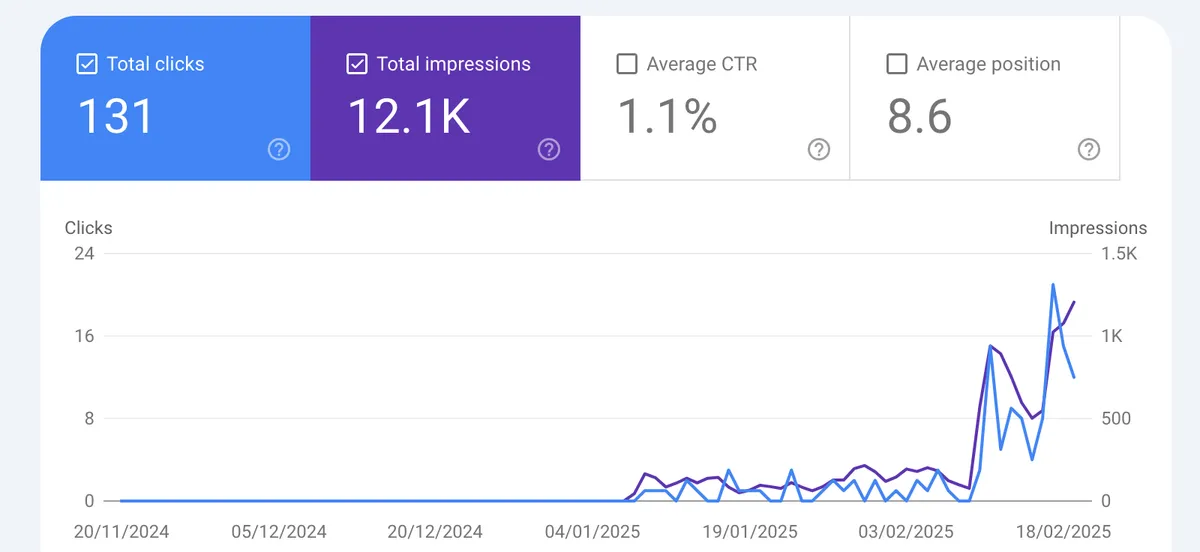
You can use Google Search Console to see what people are googling to find your posts. Since this only tracks users coming in via Google search, I also use a service called Umami to track general page views. Anyone that uses an ad blocker won’t be counted, so it’s not 100% accurate, but good for some rough statistics.
Ahrefs for site audits
Although Ahrefs is normally quite an expensive tool used for SEO purposes, they do provide a free “site audit” feature. This scans my site once a week for SEO errors or link errors and will email me if anything needs fixing. For example, if published a post, Ahrefs will tell me if any of the links inside of that post are broken.
Other misc things
- I have a script that I run after I write each post to generate a social image card
- I use Mapbox to render a map on some of my hiking pages
- I use Hardcover to track books I’ve read, and make use of its API for my books section
- If you’re on a desktop browser, you may notice this post has a table of contents, which is a React component I have previously written about
And that’s about all I can think of, for the moment! I have a separate post up about my writing process as well.